The Challenge
The new Zoral website had to go live in a fixed window: 65 pages, a new structure, a new visual language, and copy that kept arriving from the business while the build was under way. On the client side, the engineering team owned the infrastructure, the forms, the tracking and the deployment.
The usual path — the designer hands over mock-ups, engineers translate them into code, the designer files visual bugs — would not fit that window. It also puts the designer’s quality bar at the end of a queue that belongs to someone else.
“Vibe-coding” sounds like the answer, and on a personal project it may be. On a client’s corporate site it is a risk: an AI agent that is fast but unbounded will happily rewrite a build script, a form handler or a tracking tag it was never meant to touch. The problem was not how to write code faster. It was how to own the front-end without creating a single conflict for the engineers.
Who Owns What
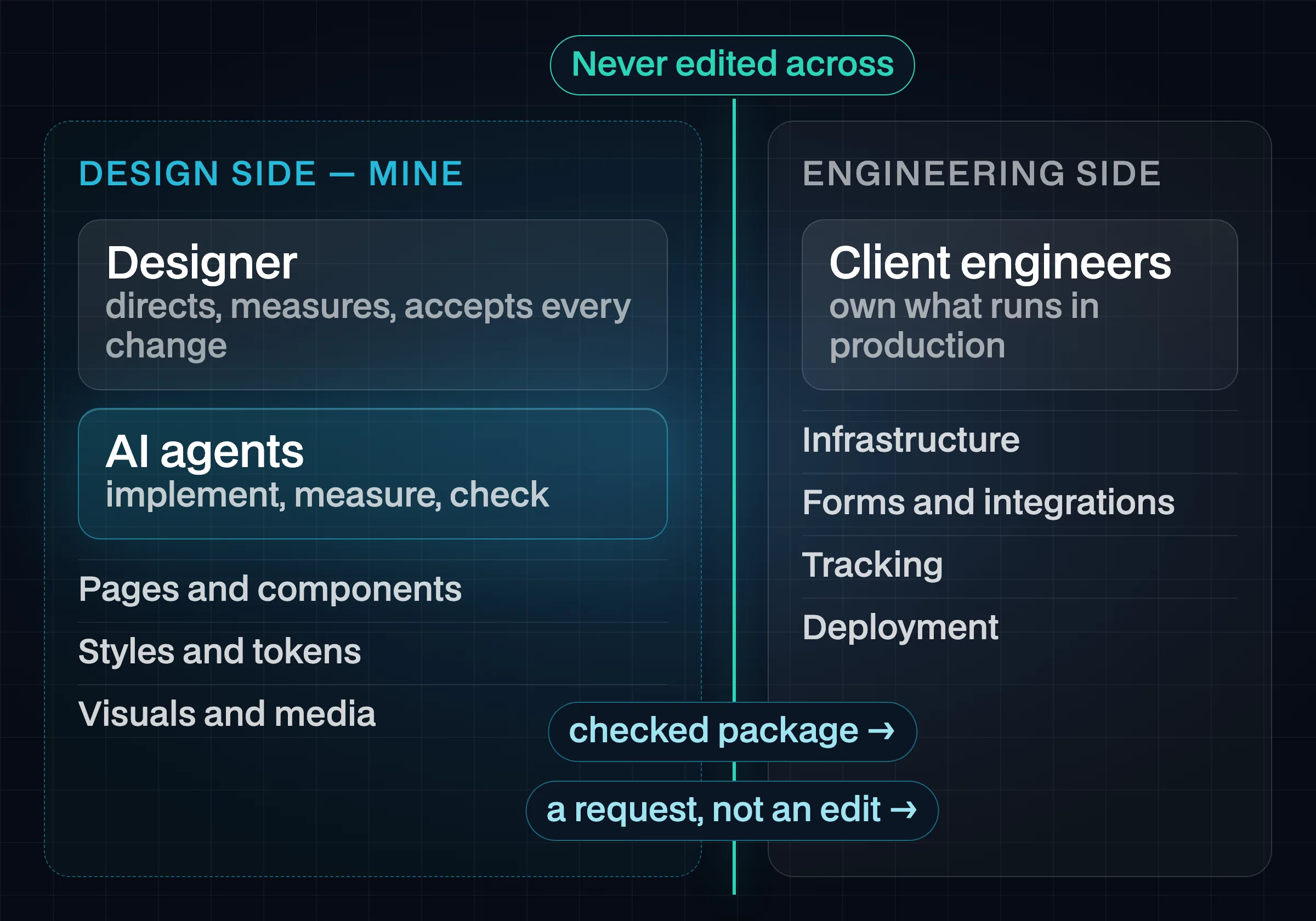
I started with the boundary, not with the code. The front-end was mine: pages, components, styles, visuals and the media on the site. The engineering side kept everything that makes the site run in production: infrastructure, forms and integrations, tracking and deployment.
The AI agents worked inside my side of that line. They implemented, measured and checked under my direction, and I accepted every change. Their files, pipeline and integrations were never edited — not by me, not by an agent. When a change on my side needed something on theirs, it went to them as a request, not as an edit.
Conflicts were settled by that rule, not case by case. That is what made the speed safe: the engineers never had to review work they had not asked for, and I never had to wait for a change I could make myself.
From Mock-up to Code
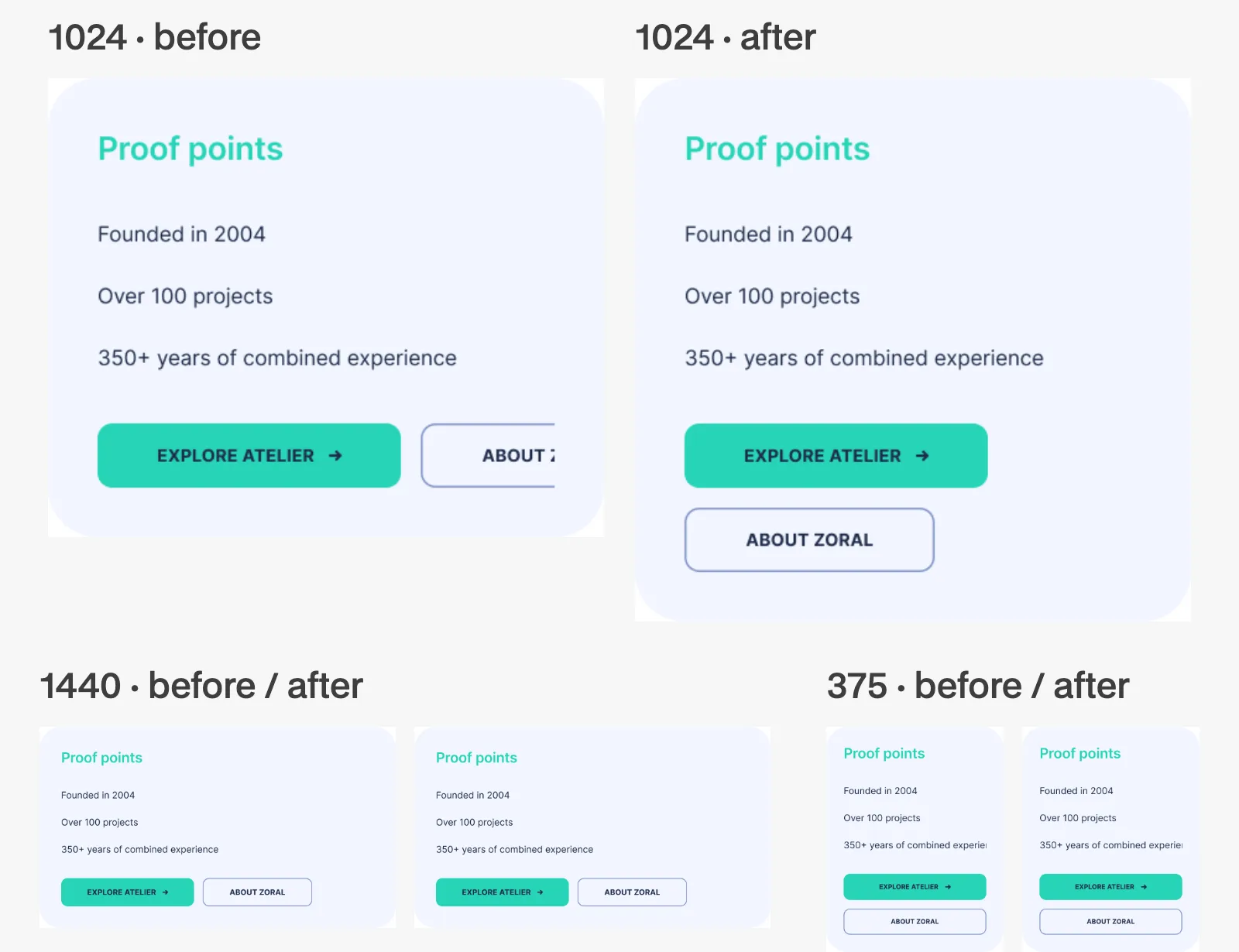
Each page started as a mock-up in Figma and went to code through the agents. “Looks about right” was not the acceptance test. Every page was measured against its mock-up at fixed widths — positions, sizes and spacing read from the rendered page, not judged by eye — and the differences went back as precise corrections.
That changes what directing an AI agent means. The agent is fast at producing code and poor at noticing that a heading sits a few pixels lower than designed or that a card grid breaks at a tablet width. Measuring turned design intent into something an agent can check against and a reviewer can verify.
Code Back to Figma
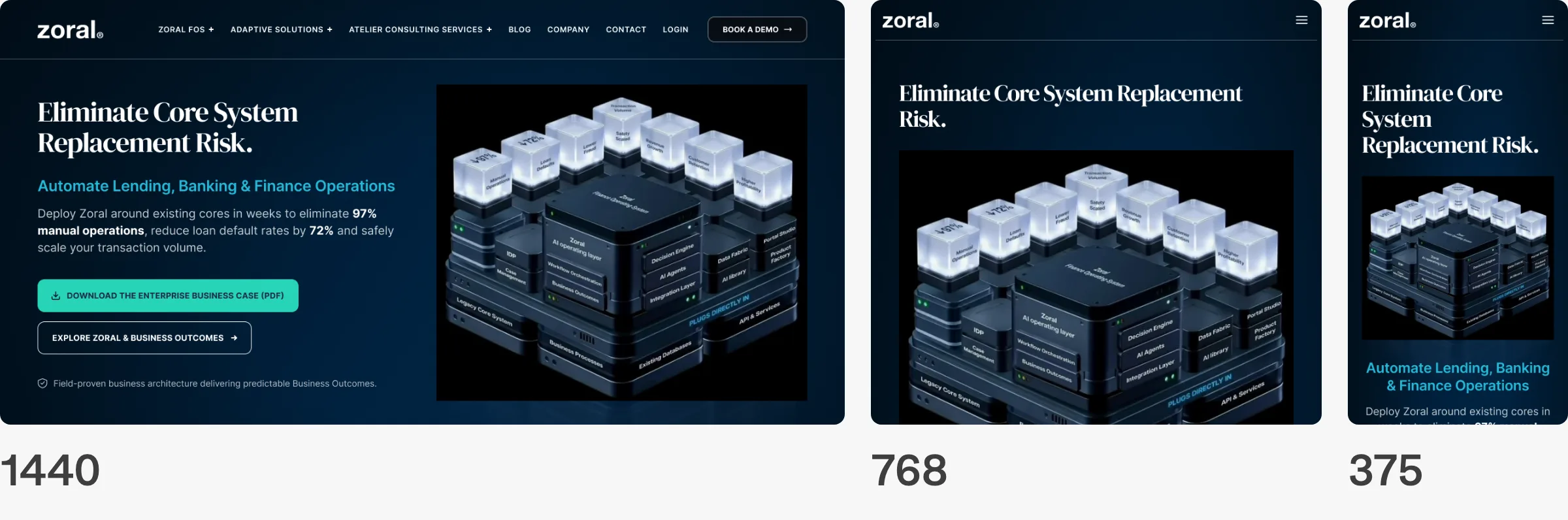
Once the site was in code, the code became the source of truth — copy, components and layout changed there first. To keep design review possible, I captured live pages back into Figma as editable frames at the main breakpoints, rebuilt from the library’s components and variables rather than pasted as screenshots.
The captures did more than keep Figma current. Placed next to the library, they showed where code and system had drifted apart — a button size the system did not have, a colour hard-coded instead of taken from a token — and those gaps fed straight into the next version of the library. How that library is structured is told in the Zoral Design System case.
Visuals as a Pipeline
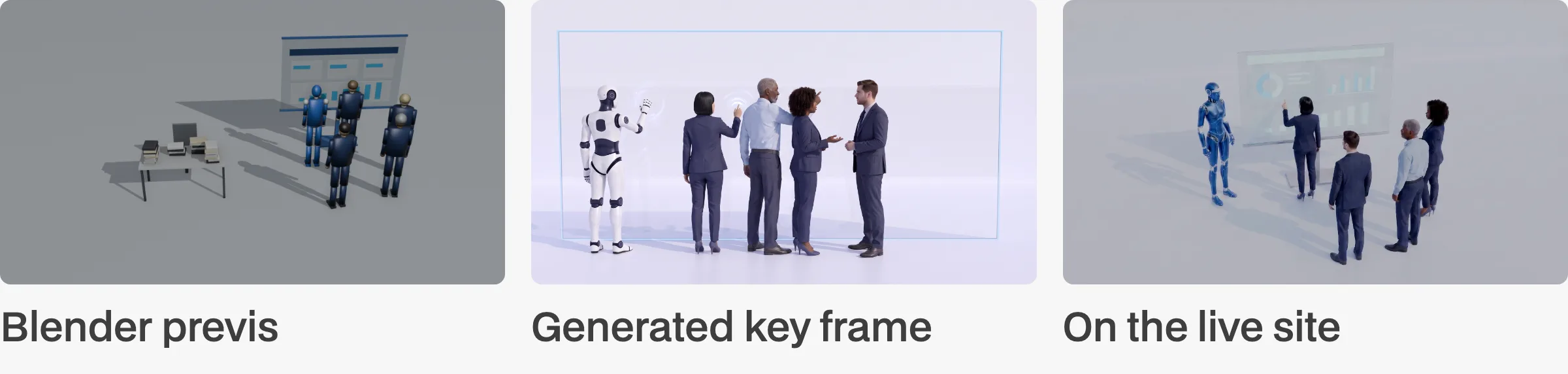
The site’s 3D renders and section videos came from a pipeline, not from one prompt. A scene was staged first in Blender as a rough previs: a locked camera, the composition and the timing, with space left for the text that lives in HTML. Key frames were then generated with Higgsfield from those guide frames, selected against the brand style — many candidates were rejected — and chained into short videos.
AI generation was not the last step. Key frames were corrected by hand in Photoshop, backgrounds extended with Adobe Firefly’s generative expand with the original pixels kept unchanged, and the final clips were assembled and exported in Premiere and CapCut. Only then were they encoded for the web, with poster frames, so a video could never leave a section empty.
Quality You Can’t See
Two fixes from the build show the quality bar the business never had to ask for.
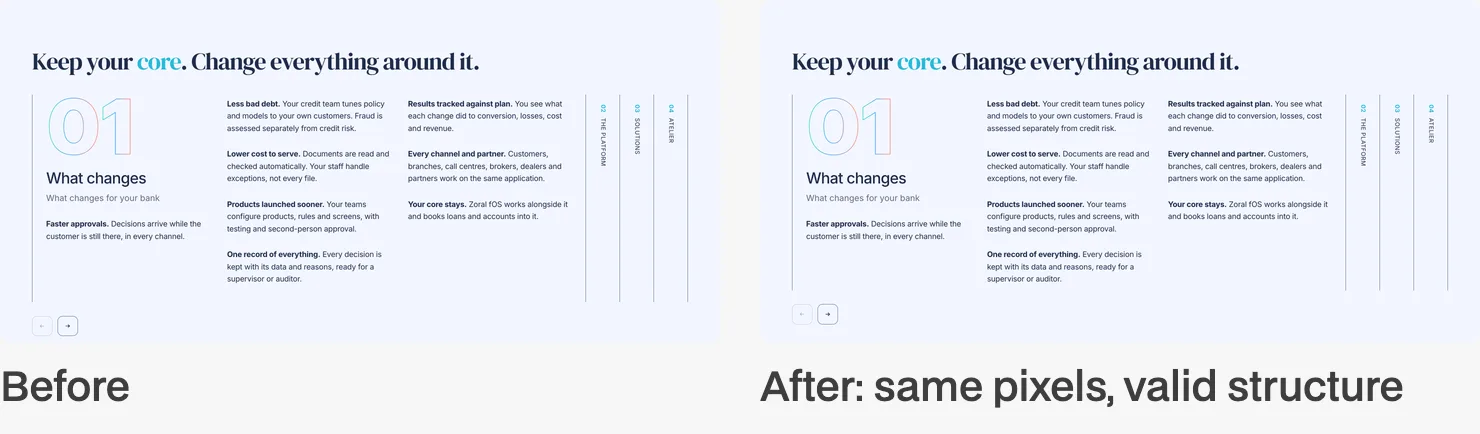
An accessibility fix in a shared component. The accordion used on many pages had an invalid structure for assistive technology and for AI agents that browse the web. I had it rebuilt with valid roles and states, and checked it pixel by pixel against the old version at three widths: no visual change at all. The Lighthouse agentic-browsing score on the home and AI Layer pages went from 0.67 to 1.0.
A fallback for blocked video. On an iPhone in power-saving mode, the browser refuses to autoplay video. Before the fix, the hero stayed frozen on its first frame — the 3D platform shown half-assembled — and on one page the headline never appeared, because it waited for a video that would never end. Now the site retries playback once and, if it is refused again, shows the final frame with the text in place.
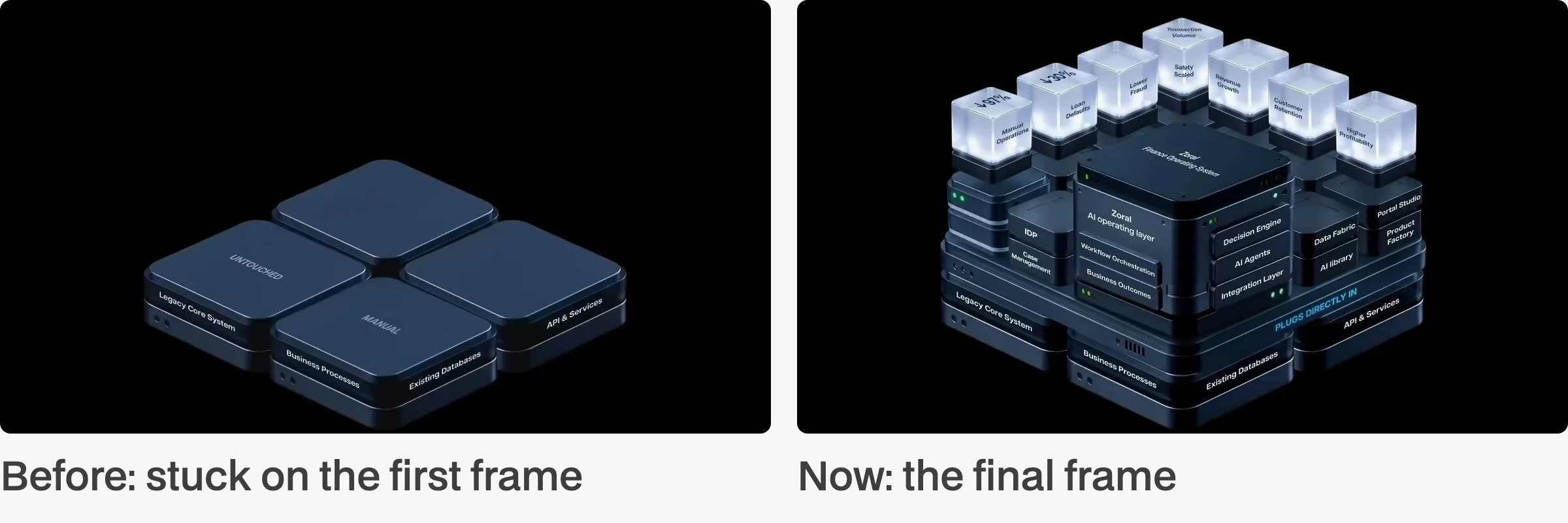
Neither change is visible on a normal visit. Both are what makes a corporate site hold up for every visitor, not only for the one in the demo.
Handover Without Friction
Changes went out in small packages, and each was checked before it reached the engineers: tests, linting, a production build and a check for broken links and missing images. The engineering team received work that was ready to merge, not work to fix. How those checks were run as a team of AI chats — tester, release and approvals — is told in a separate case.
Impact
The site went from first plan to launch in about two weeks and is live at zorallabs.com: 65 pages, built and maintained on the design side without a single change to the engineers’ files. The CCO approved the content, the CTO and the architect reviewed the technical side, and DevOps deployed it — the same team, with no extra handover burden.
For the business, the result is a front-end that stays in the designer’s hands: new pages, new copy and new visuals reach production in the quality they were designed in, without a queue on the engineering side.
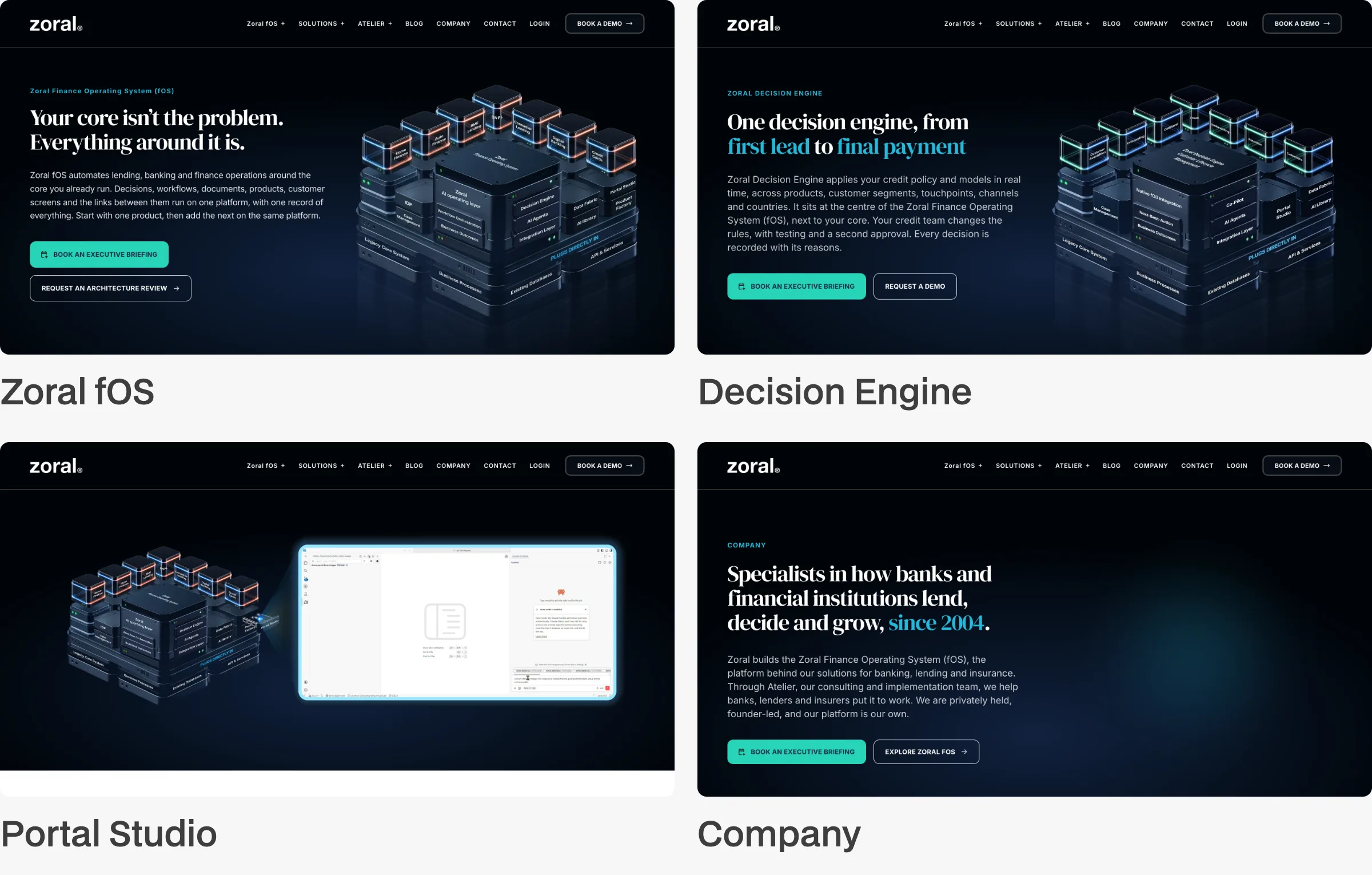
Related: Zoral Design System · how the work was run as a team of AI chats.