The Challenge
The Zoral website was rebuilt while the business was still refining what it wanted to say. Dozens of pages were in play at once, copy changed mid-project, and design, build and checking tasks ran side by side. I did that work with AI — and the first thing that broke was not the quality of what the AI produced. It was control.
One long AI chat is a poor teammate on a project like this. It forgets decisions made two hours earlier, mixes unrelated tasks, and quietly changes things nobody asked it to change. On a personal experiment that is an annoyance. On a client’s corporate site, where every visible change has to be one the business agreed to, it is a risk.
The hard part of working with AI agents is not generation. It is knowing, at any moment, what is being changed, by whom, on whose approval, and how you can prove that nothing else moved. That is the problem I set out to design for.
An Operating Model, Not a Prompt
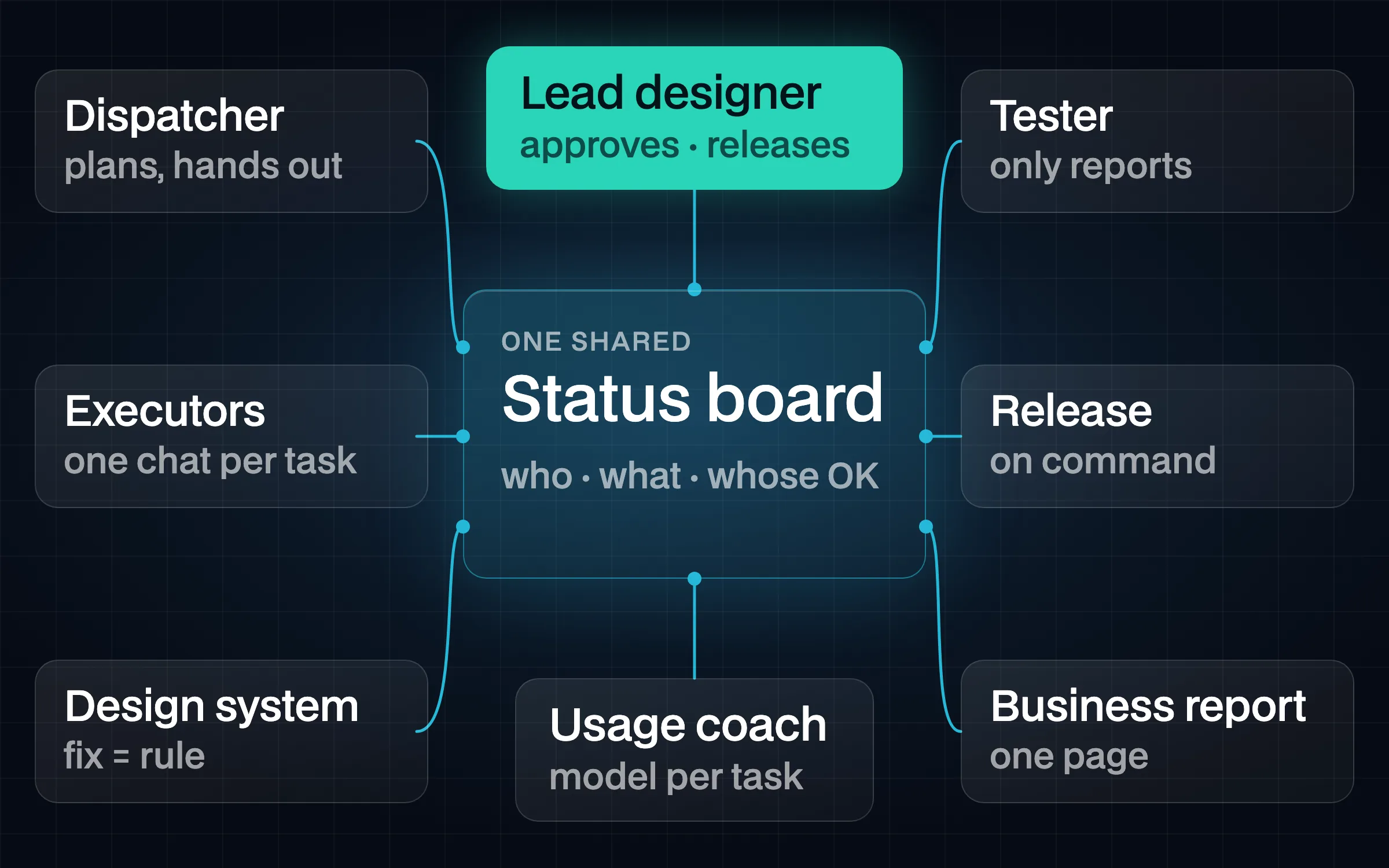
Instead of looking for a better prompt, I designed an operating model — the same kind of structure a design lead sets up for a human team: roles with clear limits, one place where the state of the work is visible, and fixed handoffs between them.
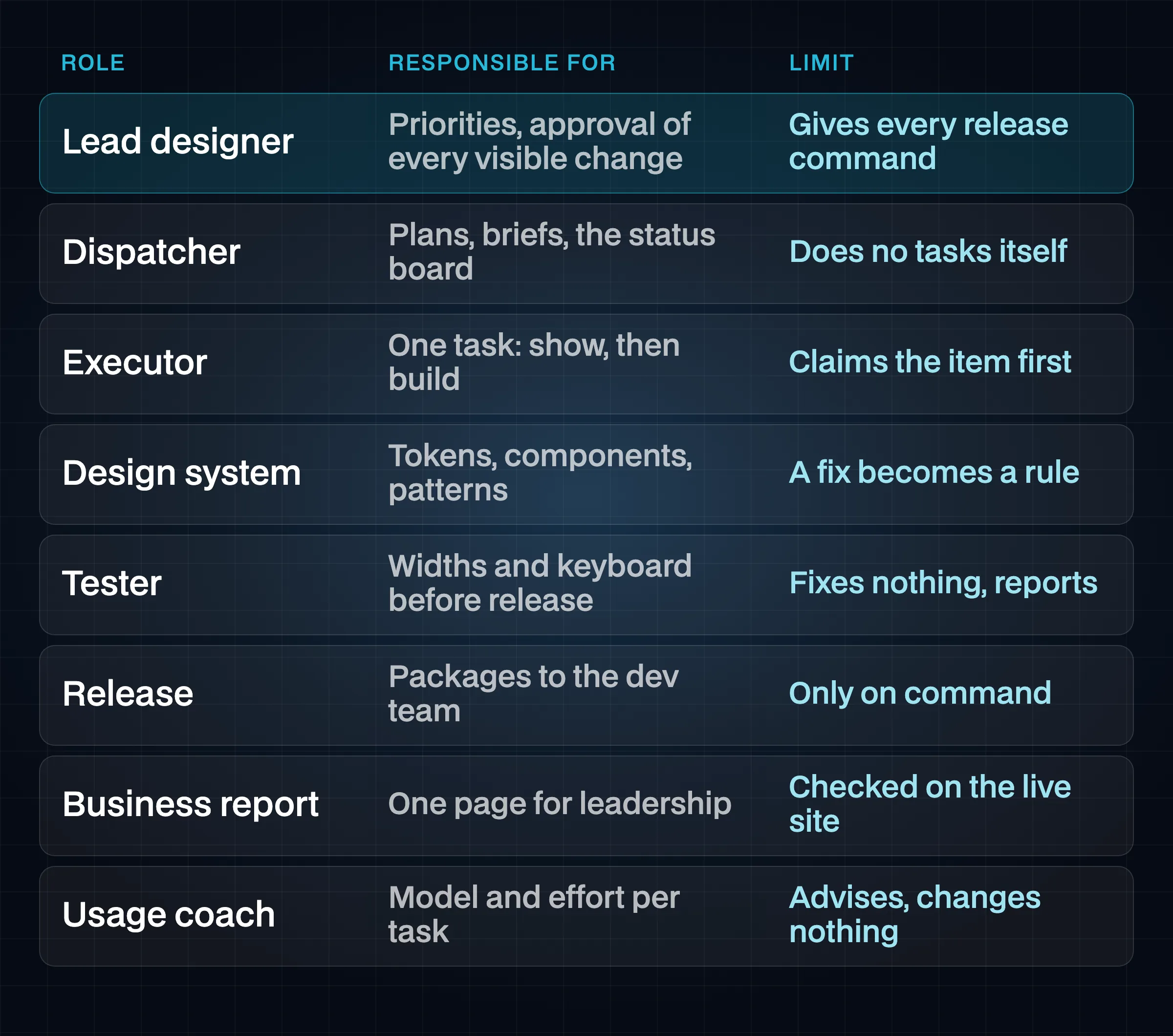
- Dispatcher. Plans the work, writes the brief for each task, hands out one item at a time and keeps the shared status board. It does not do the tasks itself.
- Executor — one chat per task. Takes a single item, claims it on the board before touching anything, shows what it will change, and builds only after my approval.
- Design-system keeper. Holds the tokens, components and patterns, so a fix on one page becomes a rule for every page instead of a local patch.
- Tester. Checks the work before a release at fixed widths and with the keyboard. It fixes nothing; it only reports.
- Release. Ships a package of changes to the development team, and only on my command.
- Business analyst. Turns release logs and test reports into a short update for the client’s leadership.
- Usage coach. Looks at which model and effort level fit which kind of task, so the work is routed rather than guessed.
I sat above the roles: I set priorities, approved every visible change and gave every release command.
One task meant one chat, and every chat had to claim its item on the status board before changing anything. That simple rule removed a whole class of problems: two chats editing the same page, work that started without a brief, and changes that no one could trace back to a decision.
Model choice was written down too. Each new chat started with a model and an effort level taken from a short table, with one sentence on why:
| Kind of task | Model |
|---|---|
| Code: fixes, site-wide sweeps, scripts, syncing tokens and components | Claude Sonnet |
| Decisions on layout and structure, the design system, planning, handing out work | Claude Opus |
| Ideas, concepts, and the hardest one-off problems | Claude Fable |
| Simple lookups, status checks, short summaries | Claude Haiku |
| 3D look-development and final renders | Claude Opus, high effort |
The note under the table mattered more than any row: when a task stalled, the first step was to fix the brief — exact values, a reference, a clear scope — before switching to a stronger model.
Show, Then Change
Every visible change followed the same path: a plan or a mock-up, my approval, then code, then a before-and-after at fixed widths. Nothing the client’s visitors could see went in on the AI’s own judgement.
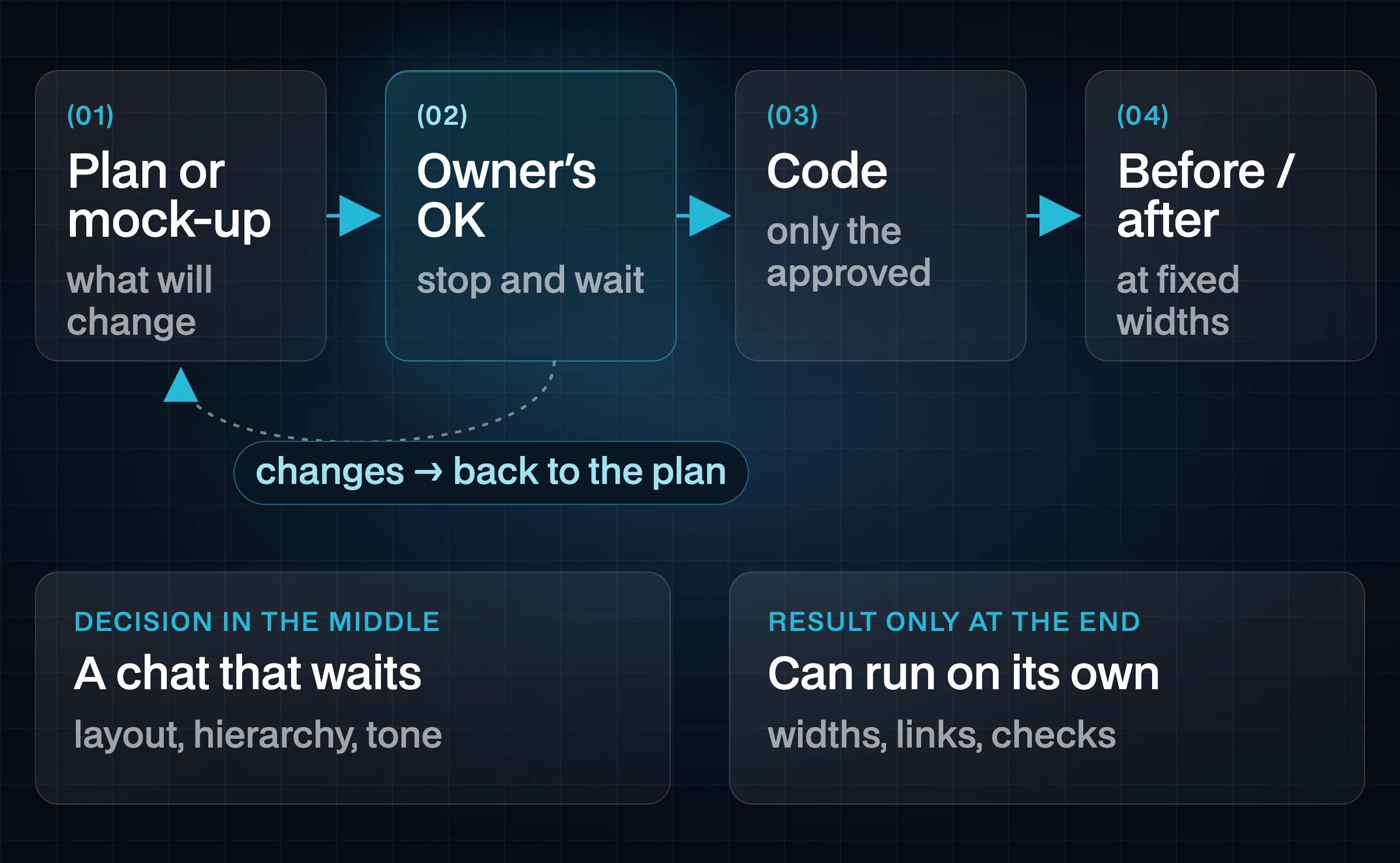
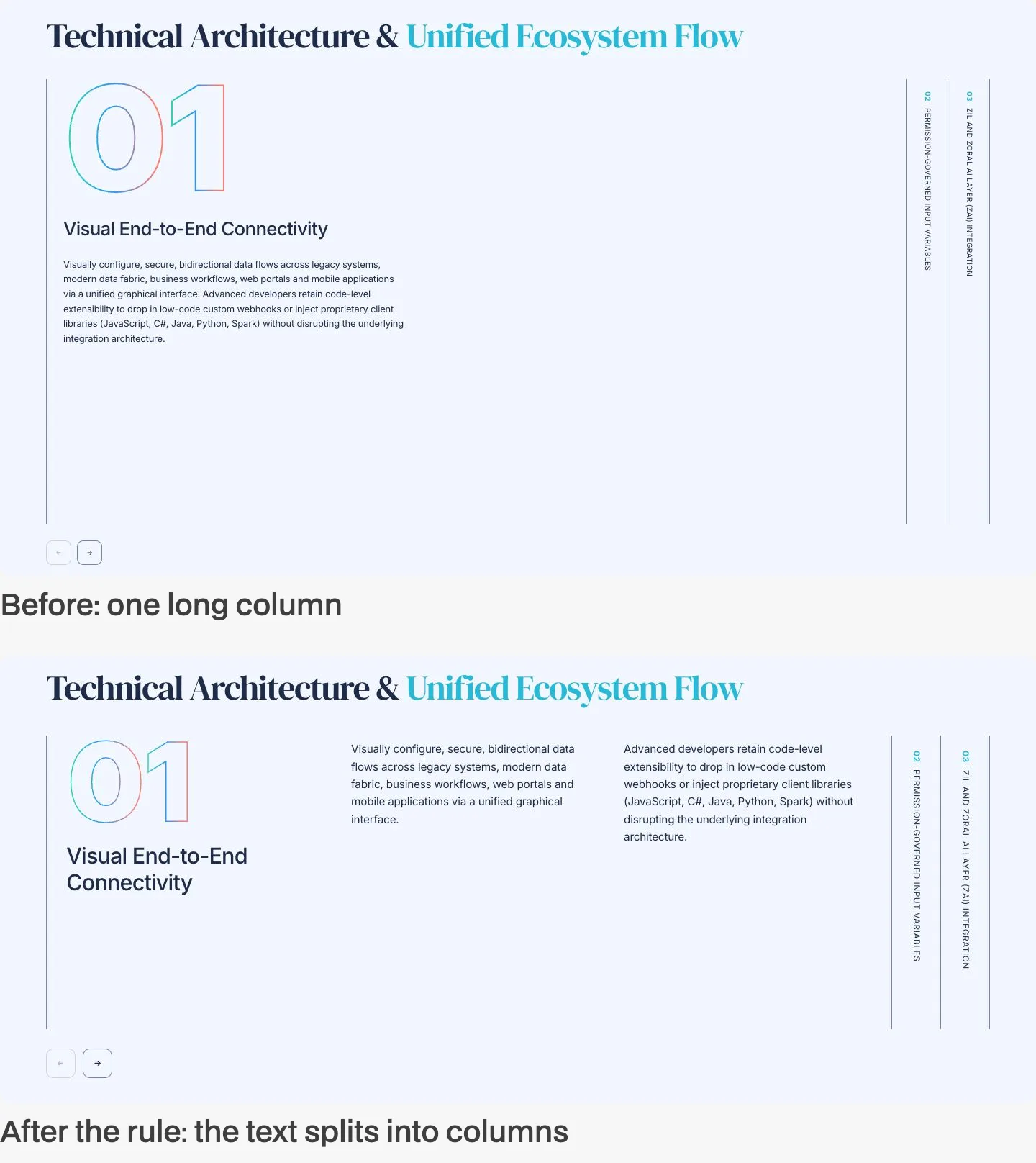
The approval step is the point of the process, not a formality. Layout, hierarchy and tone are decisions, and I did not want them made on my behalf and discovered afterwards. An executor proposed, showed the options or a reference, stopped and waited — and continued only after my reply.
This also drew the line between work that needs a person and work that can run on its own. The line is not “simple versus complex”. It is whether a human decision is needed in the middle of the task. A design change has a decision in the middle, so it stays in a chat that can stop and wait. A check — did the page break at a given width, do all links still work — has no direction to approve, only a result to report, so it can run from start to finish without me.
A Tester Before Every Release
Executors check their own work, and they check it the way they built it: by looking. That leaves gaps that only show up from another angle.
The clearest example was the site menu. It looked right at every width and had passed every visual check. When the tester went through the pages with the keyboard, it found that the closed mobile menu was still in the tab order: a keyboard user starting from the top of the page landed on links they could not see. The open menu did not hold focus either, and the items in the desktop menu panel could not be reached from the keyboard at all.
None of this was visible in a screenshot, and the chats that built the menu had missed it. The fix did not stay a fix. It became a rule in the design system — how any modal panel behaves when it is closed, when it opens and when it closes — documented once and followed by every component like it.
That is why the tester’s role is narrow on purpose: it observes and reports, and never repairs. A role that fixes what it finds starts to judge which problems are worth reporting. A role that only reports gives the full picture, and the decision about what to fix stays with me.
Proving Only the Intended Changed
A small change on a large site is a trust problem. When a release touches labels in the navigation, every page is rebuilt — and someone has to be sure that nothing else on any of them moved.
Screenshot regression is the usual answer, and for text and link changes it is the expensive one: a baseline to maintain, noisy differences from fonts and animation, and many images nobody actually reads. I used a cheaper proof that is easier to trust.
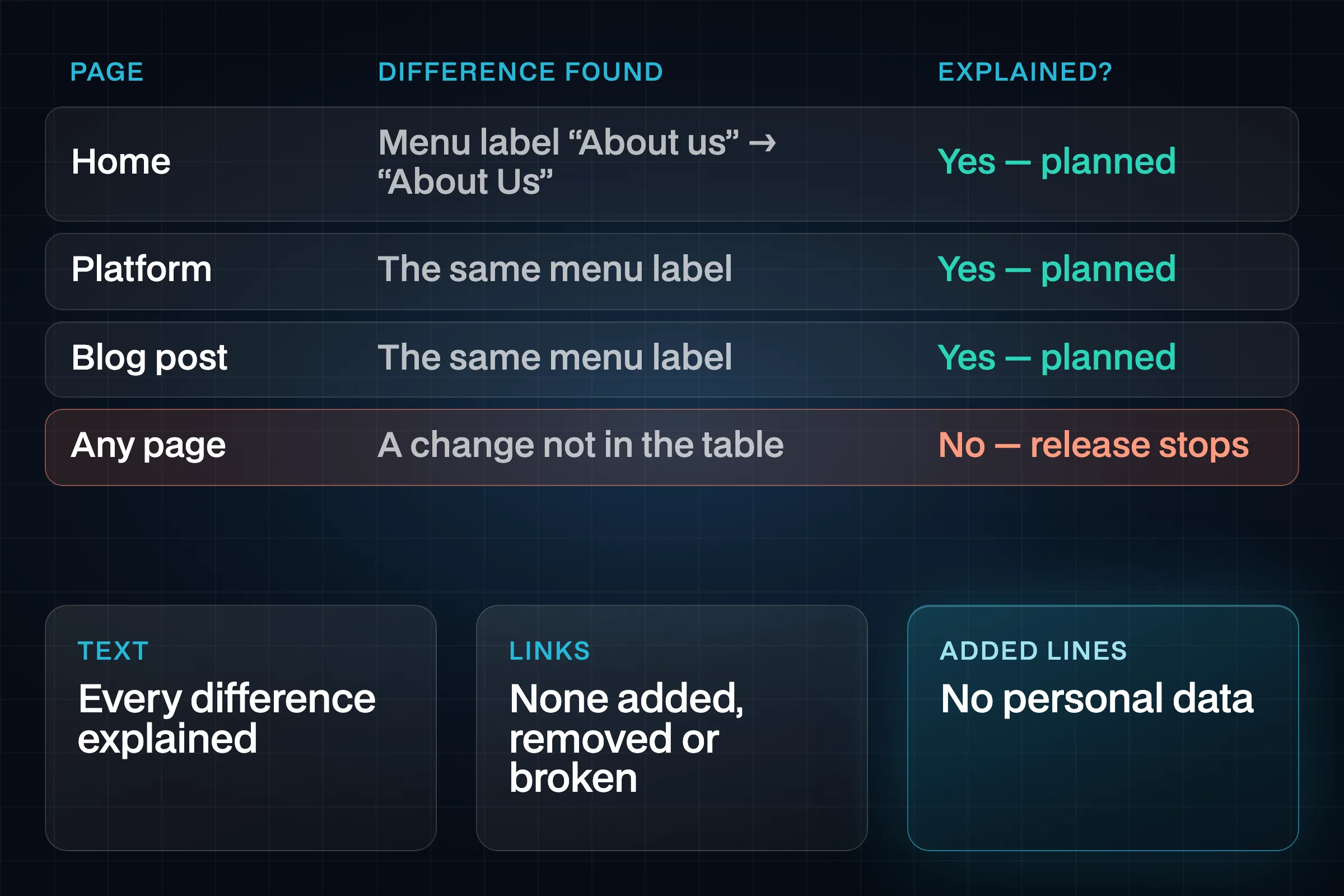
Each release was compared with the previous build page by page, as text. Every difference had to be explained by a short table of intended replacements; anything left unexplained was a change nobody planned. The set of links on every page was compared as well: none added, none removed, none broken unless the release meant it. Finally, the added lines were searched for personal data before anything was handed over.
One lesson came from the first attempt. Applying the intended change to the old build with a global search-and-replace produced false differences, because short replacements also matched words that were never part of the change. What worked was pairing: match each removed fragment with the fragment that replaced it, and look only at what is left on either side.
Release on Command
Changes went out in small packages, and each package was checked before it was handed over to Zoral’s development team, who deployed the site. A package never shipped on its own schedule; it shipped when I gave the command.
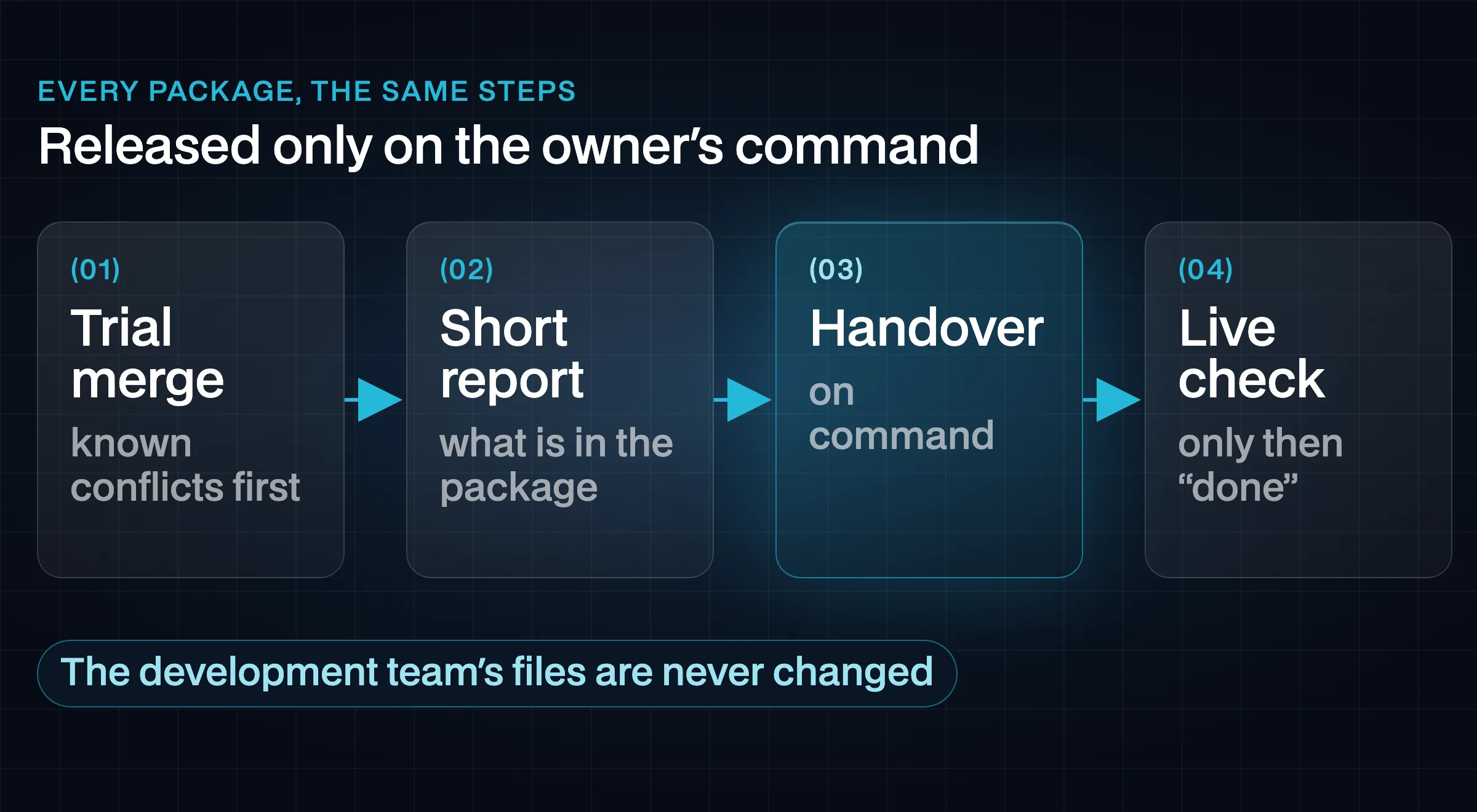
Two codebases had to live side by side: the design work I led, and the integrations and infrastructure owned by the development team. The rule was simple and never bent: files on the development team’s side were not changed. Every conflict that came up between the two sides was written down with how it was resolved, and each new package started by reading that list, so the same conflict was never solved twice in two different ways.
Each release followed the same steps — a trial merge, a short report, the handover, and a check of the live site after deployment — and a release counted as done only after that last check.
Retros That Become Rules
Every finished task ended with a short retro: what went well, what took longer than it should, what went wrong. A mistake that happened once was a note. A mistake that happened again became a written rule in the handbook that every new chat reads before it starts.
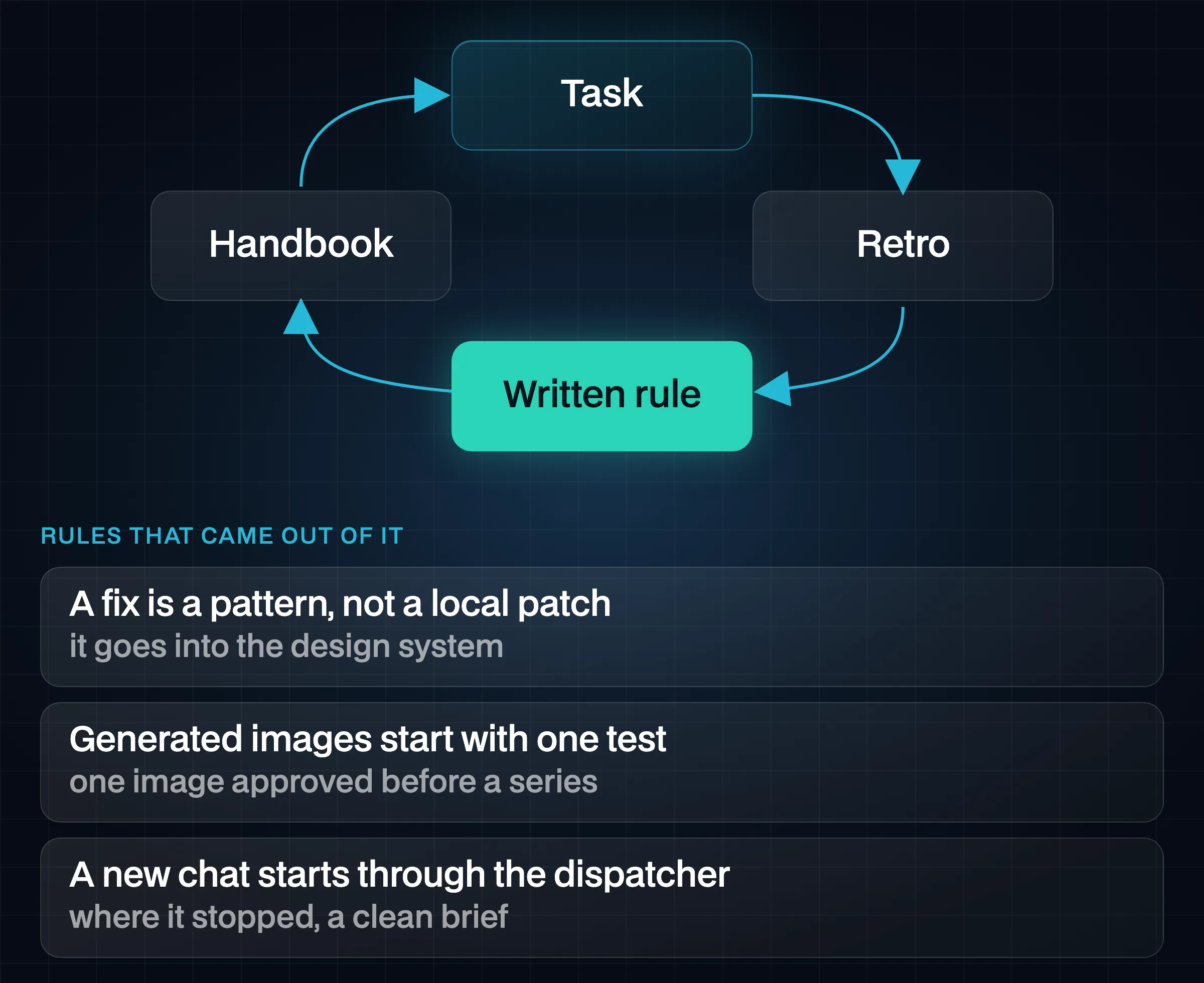
A few of the rules that came out of it, in plain words:
- A fix is a pattern, not a local patch. If something is wrong on one page, the fix goes into the design system, so every page that uses the same pattern is fixed with it.
- Generated images start with one test variant. One image is shown and approved before any series is generated, so a wrong direction costs one image, not twenty.
- Work moves to a new chat through the dispatcher. When a chat gets too long, it does not hand itself over; it writes down where it stopped, and the dispatcher sets up the next chat with a clean brief.
The handbook grew with the project. New chats started from everything the previous ones had learned, instead of repeating the same mistakes with more confidence.
Reporting to the Business
Release logs are written for the team that ships the work, and test reports for the team that checks it. Neither is written for the people who commissioned the site and want to know one thing: what is different for our visitors, and can we trust it?
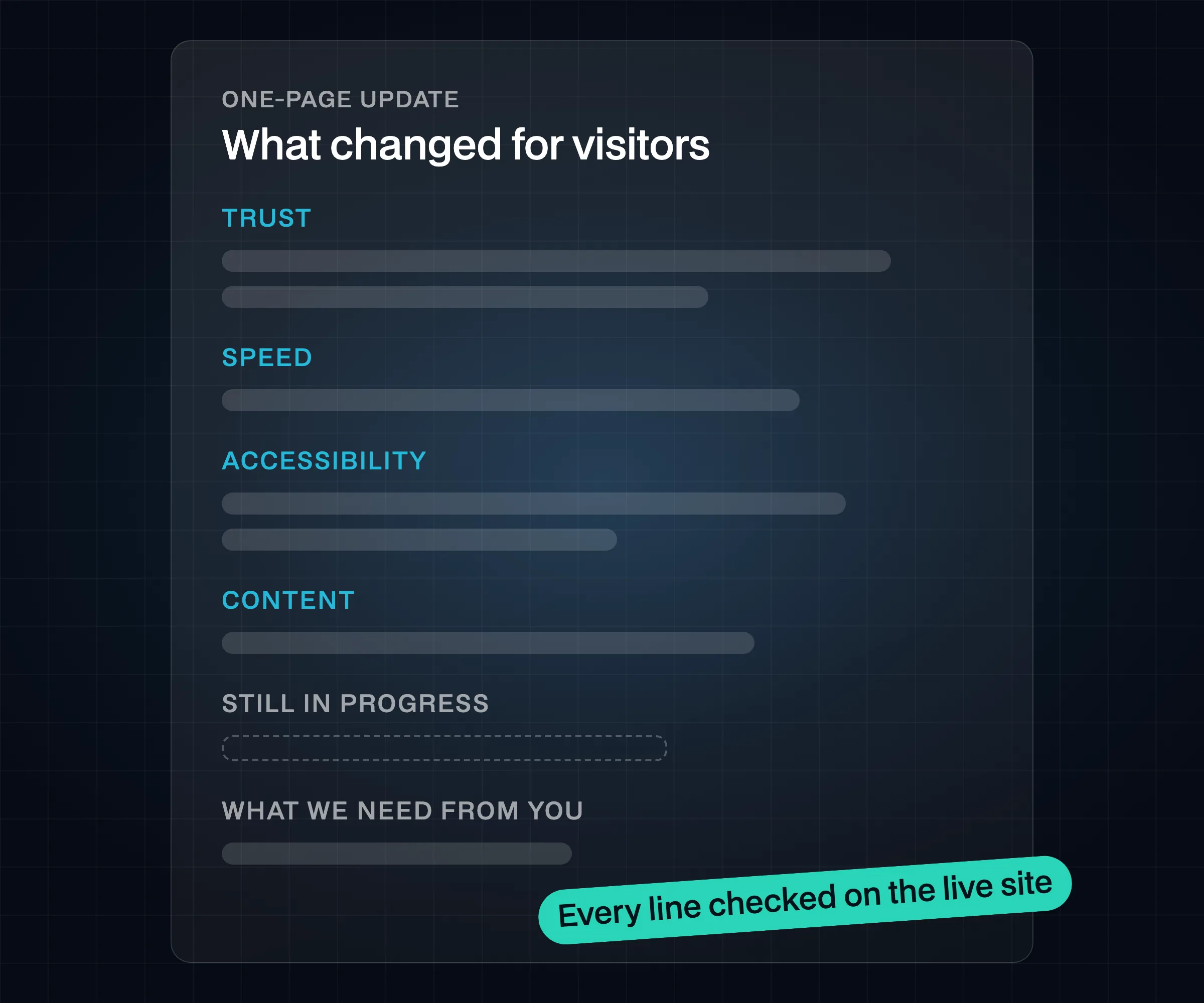
After the launch, the business-analyst role turned both into a one-page update for Zoral’s leadership. Each line described a change from the visitor’s side — what they can now see or do — rather than what changed in the code. No tool names, no internal process, no attributions. And every “done” in the update was checked on the live site before it went in; a claim the live site did not confirm either left the page or moved to “in progress”.
Impact
The Zoral website was built and released by a team of AI chats without unintended changes reaching the client. Every visible change had been approved before it was built, every release went out on a command and was checked on the live site afterwards, and recurring mistakes ended up as rules instead of being repeated.
The value for the business was predictability: the leadership saw small, explained releases and a plain-language update they could trust, not a stream of AI output to review. The value of the model itself is that it is not tied to one project — roles, approvals, evidence and retros are the same tools a design lead uses to run a human team, applied to a team of AI chats.
Related: Zoral Design System · Decision Engine.